


Cutting Solving Costs Without Sacrificing Speed
Solid documentation and tutorials shorten onboarding smoother. From the setup guide to the API docs and the FAQ, most questions are answered without you filing a ticket, so your team spends time on shipping rather than troubleshooting.
Good documentation plus tutorials make adoption faster. Between the setup guide to the API reference and the FAQ, most questions are clear answers without you filing a ticket, so the team puts time on building instead of troubleshooting.
CapSkip’s extension puts solving straight into the browser and Chromium-based browsers like Brave and Edge. If you do hands-on work or light automation, the extension handles challenges and needs no any configuration.
Turnstile performs lightweight challenges which are meant to separate humans from automation and skip the usual puzzles. Clearing those reliably needs a purpose-built solver, and CapSkip covers it locally.
A Selenium setup is a staple for browser automation, and CapSkip fits into it cleanly. Your your driver flow as is and hand off the challenge to CapSkip whenever one appears, so the session continues without human steps.
Automated browsers leave fingerprints that detection systems look at, so pairing careful automation hygiene with dependable CAPTCHA solving matters. CapSkip handles the challenge half so you focus on the browser side.
Managing sessions like the cf_clearance cookie can be part of getting past Cloudflare’s checks. Once CapSkip solving the Turnstile step, your session logic becomes a matter of reusing valid cookies properly.
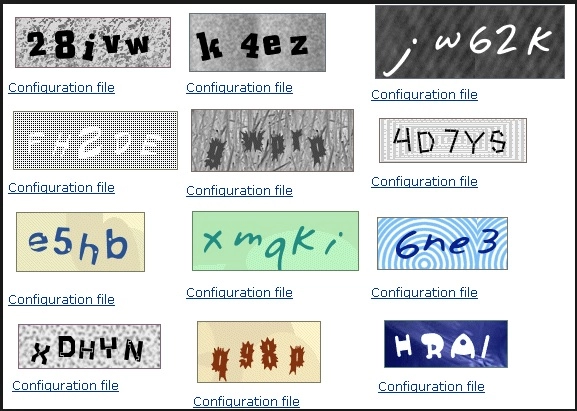
Image CAPTCHAs are still extremely common, on login forms to checkout screens. CapSkip solves a huge range of image CAPTCHA types on your own hardware, typically almost instantly. This throughput adds up just click the next web page moment you process high numbers of challenges.
Behind the scenes, reCAPTCHA v3 hands out a score based on observed behavior rather than a single checkbox. Getting a good token calls for tooling designed for that model, which is exactly what CapSkip is built for.
At its core, a CAPTCHA solver reads a challenge and produces the answer a site expects, so an automated tool can keep going. What sets CapSkip apart is everything happens on your own Windows machine – no challenge data is shipped off to a stranger, and there are no per-solve fees. That combination of control and predictable cost is hard to beat for serious workloads.
The v3 flavor takes a different tack: rather than a clickable challenge, it rates interactions behind the scenes. Producing a good score requires tooling that understands how v3 behaves, and CapSkip is built to handle it, returning tokens quickly so your flow continues.
Behind the scenes, reCAPTCHA v3 hands out a risk score based on watched signals rather than a single checkbox. Producing a usable token calls for tooling designed for that approach, which is exactly what CapSkip is built for.
A Python codebase developers get a simple path with CapSkip, since it mirrors the request format of major solving services. In practice, that means pointing current code at CapSkip with minimal effort – nothing to rebuild.
At its core, a CAPTCHA solver interprets a challenge and returns the solution a site is looking for, so an hands-off script can keep going. What sets CapSkip apart is everything happens on your own Windows machine – no challenge data is shipped off to a stranger, and you avoid per-solve fees. That combination of control and flat pricing turns out to be a real advantage for steady automation.
One frequent mistake is treating every solver as the same. Match the tool to your CAPTCHA mix, the scale, and your budget – CapSkip spans image CAPTCHAs, reCAPTCHA and Turnstile at a flat rate, which suits most real workloads.
At its core, a CAPTCHA solver interprets a challenge and returns the answer a site is looking for, so an hands-off script can continue. What sets CapSkip apart is that everything happens locally – nothing is shipped off to a stranger, and there are no per-CAPTCHA fees. That combination of privacy and predictable cost is a real advantage for steady automation.
Google reCAPTCHA v2 is one of the most common challenges on the web, covering the classic checkbox to invisible and callback versions. CapSkip solves all of these on your own machine quickly, which means your automation will not stall whenever one shows up. Since it emulates popular solver APIs, wiring it in tends to be straightforward.
Within reason, CAPTCHA solving powers legitimate work such as testing, monitoring, and permitted scraping. It is wise respecting each target’s terms and relevant rules; handled that way, a solver is another automation helper.
Data collection is among the most common use cases teams reach for a CAPTCHA solver. A single stalled page can halt an whole job, so solving challenges on the fly lets the pipeline steady. CapSkip slots into such pipelines neatly.